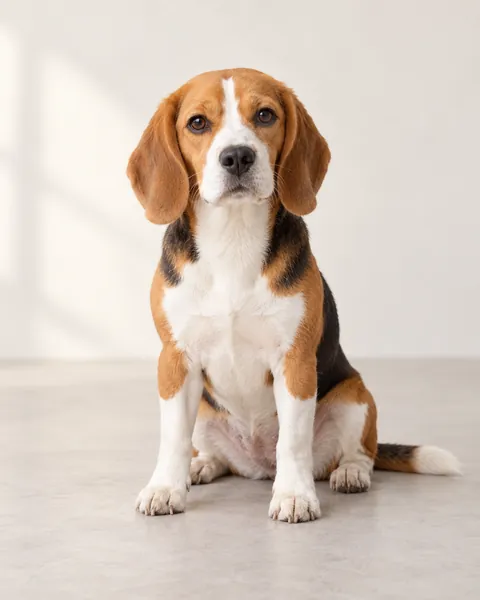
Your photo replaces the single cat with your own cat or dog. The blue wizard hat, office desk, keyboard, camera and action timing follow the template. Your pet’s face, coat and markings guide the new character; paws, ears and other details can vary. This is a fictional AI pet performance.
Once accepted, your task keeps running. Follow it in My creations; with work updates enabled, we email you when it is ready.
✳
Your own take on the trend.
Your photo replaces the single cat with your own cat or dog. The blue wizard hat, office desk, keyboard, camera and action timing follow the template. Your pet’s face, coat and markings guide the new character; paws, ears and other details can vary. This is a fictional AI pet performance.
Wizard Cat Keyboard Smash AI turns one cat or dog photo into a wizard-hat pet at an office desk: frantic typing, one angry key press, a pause, then the keyboard smash. The hat, desk, camera and matching soundtrack follow the fixed template.
Your photo guides the pet’s face, ears and coat. Target 7 seconds, 720p, 140 credits, as a 9:16 portrait MP4.
Video length and credit cost
Selected length
Credits
Videos with the $5.99 pack
7 seconds
140
1 video
One-time credit packs: $5.99 / 200 credits · $8.99 / 300 credits · $14.99 / 600 credits · $27.99 / 1200 credits. Credits are shared across available effects. No subscription; applicable tax is shown at checkout.
720p portrait MP4; actual clips can be slightly shorter. Counts use one selected length. See credit packs ↗
From office wizard to keyboard chaos.
Your photo replaces the single cat with your own cat or dog. The blue wizard hat, office desk, keyboard, camera and action timing follow the template. Your pet’s face, coat and markings guide the new character; paws, ears and other details can vary. This is a fictional AI pet performance.
How to make a wizard pet keyboard video
One cat or dog, with a clear face, ears and chest in even light. Keep the front paws visible when possible. No people or other pets.
Confirm permission and review the quote. Buy and create with your email, or sign in to use existing credits.
Follow the task in My creations. Compare the input and result from the same task and watch through the final keyboard smash.
Check your pet’s features and paws before downloading or sharing.